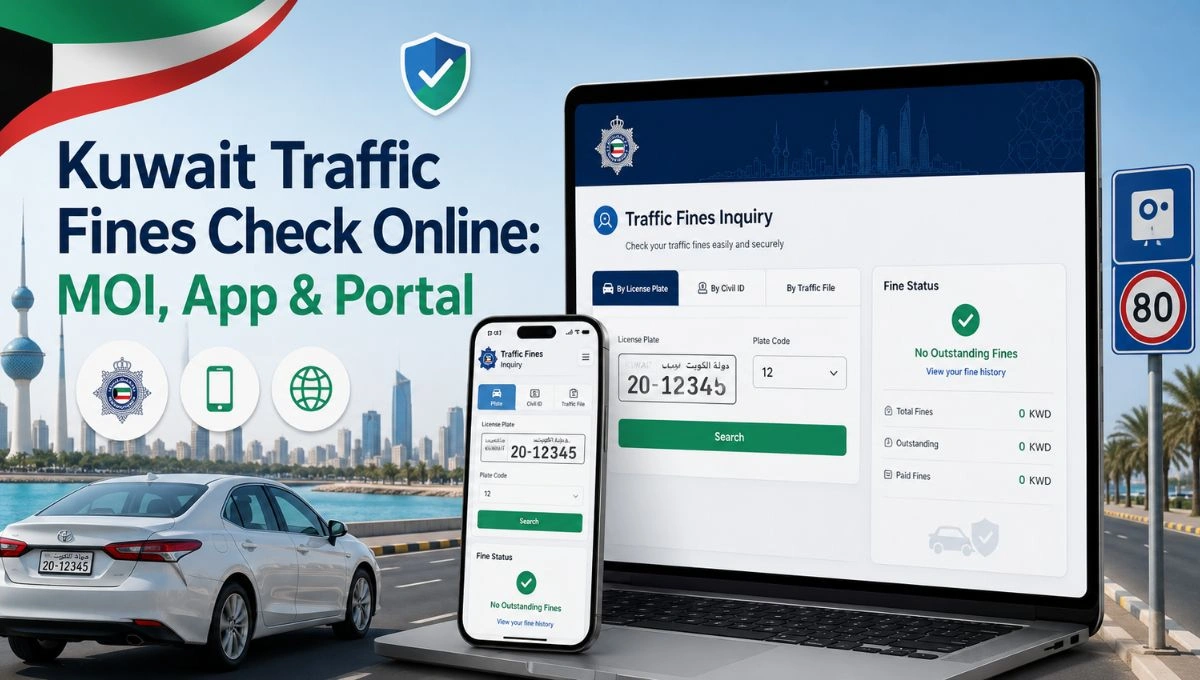
Quick Answer: You can check Kuwait traffic fines online through the MOI Kuwait website, the MOI mobile application, or the Government of Kuwait portal. In most cases, you only need your Civil ID number, National Number, or vehicle details to view your traffic violations, fine amount, and violation date.
Checking Kuwait traffic fines online is useful when you want to know if any violation is linked to your Civil ID, vehicle, or driving record. Many people check it before renewing a driving license, clearing vehicle papers, or paying pending government charges.
The good thing is, you do not always need to visit a traffic department office just to check your fine. Kuwait’s Ministry of Interior, also called MOI Kuwait, provides online traffic services for residents, citizens, and companies.
There are 3 common ways to check Kuwait traffic fines online. You can use the MOI official website, the MOI mobile application, or the Government of Kuwait portal. This guide explains all 3 methods in simple steps.
What You Need Before Checking Kuwait Traffic Fines
Before you start, keep your correct details ready. For most users, the Civil ID number is the main detail needed. Some pages may ask for vehicle information or National Number instead, depending on the service you choose.
You may need:
- Civil ID number
- National Number, if asked
- Vehicle details, if checking by vehicle record
- MOI app login details, if using the mobile app
- Company details, if checking fines for a business
Enter your details carefully. One wrong digit can show no fine or wrong result, and then it feels like the system is not working. Small thing, but it matters.
Method 1: Check Kuwait Traffic Fines via the MOI Official Website
The MOI official website is usually the easiest place to start. It works on mobile, laptop, and desktop browsers. This method is good if you want to check your traffic fine without installing any app.
Follow these steps:
- Go to your browser and open the official MOI Kuwait portal.
- Click E-Services on the homepage.
- Select Traffic Services.
- Choose Traffic Fine Inquiry or Violations Inquiry.
- Enter your Civil ID number or required vehicle details.
- Submit the enquiry and view your traffic fine details.
After submitting the form, the system will show the violation details if any traffic fine is found. You may see the fine amount, violation date, and other traffic violation information.
If no fines appear, your record may be clear for the details you entered. But before you relax, check that your Civil ID or vehicle details were entered correctly. Sometimes the issue is just a wrong number.
Method 2: Check Kuwait Traffic Fines via the MOI Mobile Application
The MOI Kuwait mobile application is another simple way to check traffic fines. This method is useful if you prefer using your phone for government services.
Follow these steps:
- Install the official MOI Kuwait application.
- Log in or register in the app.
- Go to Traffic Services.
- Select Fine Inquiry.
- Enter your Civil ID or vehicle details.
- View the traffic violations linked to your record.
The app is handy because you can check fines anytime from your phone. If the app shows a fine, review the details carefully before taking the next step.
Sometimes the app may load slowly or login may not work smoothly. It happens. If that happens, use the MOI official website instead and check your fine from the browser.
Method 3: Check Kuwait Traffic Fines via the Government of Kuwait Portal
The Government of Kuwait portal is another online way to check traffic fines. It brings many government services into one place, including Ministry of Interior services.
Follow these steps:
- Go to the Kuwait Government Online portal and open the government e-services area.
- Select Ministry of Interior services.
- Choose Traffic Violation Inquiry.
- Enter your Civil ID or vehicle information.
- Review the fine details shown on the screen.
This method is useful if you already use the Government of Kuwait portal for other services. Just make sure you choose the traffic violation service, not another fine service by mistake.
Some pages may also show payment-related options. That does not mean you have to pay immediately. First check the fine details, amount, and record information. If everything looks correct, then you can decide what to do next.
MOI Website vs MOI App vs Government Portal
| MOI Official Website | Checking fines from browser | Civil ID or vehicle details |
| MOI Mobile App | Checking from phone | App login, Civil ID, or vehicle details |
| Government of Kuwait Portal | Accessing MOI services from public portal | Civil ID or vehicle information |
For most people, the MOI website is the easiest starting point. The mobile app is better if you use MOI services often. The Government of Kuwait portal is also helpful, but it may feel a bit broader because it includes many services in one place.
What Details Can You See After Checking?
After you submit your traffic fine enquiry, the system may show different details based on the service and your record. Usually, users look for the fine amount first, but the other details are important too.
You may see:
- Violation details
- Fine amount
- Violation date
- Payment status
- Vehicle-related information
- Payable or non-payable status
If a fine appears, read everything carefully. Do not only look at the amount. Check the date and details too, so you understand what the fine is about.
Can You Pay Kuwait Traffic Fines Online After Checking?
Yes, you can pay many Kuwait traffic fines online after checking them. Once the fine appears, review the violation details, fine amount, and Civil ID or vehicle record first. If everything looks correct and the fine is payable, continue with the online payment option shown on the MOI website, MOI app, or Government of Kuwait portal.
After payment, save the receipt or confirmation message if it appears. Also, do not try to pay the same fine again right away if it still shows for a short time. Sometimes the system needs a little time to update the payment status.
Payable and Non-Payable Traffic Fines in Kuwait
When you check your Kuwait traffic fine online, the system may show whether the fine is payable or non-payable. A payable fine means you may be able to pay it online.
A non-payable fine means the online system may not allow payment for that violation at that time. It does not always mean the fine is wrong. It may need another process, review, or checking with the traffic department.
So don’t panic if you see non-payable. Read the message on the screen, check the details, and follow the official instruction shown there.
Common Problems When Checking Kuwait Traffic Fines Online
Sometimes the fine check does not work smoothly. The page may not load, the app may be slow, or the result may not appear. That does not always mean something is wrong with your record.
Common issues include:
- Wrong Civil ID number entered
- Wrong vehicle details entered
- Website or app loading problem
- Choosing the wrong service
- Fine paid but still showing for some time
- Fine showing as non-payable
If your fine does not show, check your details again. If the website is not working, try the MOI mobile app or the Government of Kuwait portal. And if the fine still appears after payment, wait a little before trying again, because system updates can take some time.
FAQs
Yes, you can check Kuwait traffic fines by using your Civil ID through MOI Kuwait traffic services or other official government service channels.
You can check through the MOI official website, the MOI mobile application, or the Government of Kuwait portal.
Yes, you can use the MOI Kuwait mobile application to check traffic fines. Log in or register, go to Traffic Services, select Fine Inquiry, and enter your Civil ID or vehicle details.
If no traffic fine appears, your record may be clear for the details you entered. Still, make sure your Civil ID or vehicle information is correct.
No, checking and paying are different steps. Checking shows whether a fine exists. Paying clears the fine if online payment is available.
A non-payable fine means the system may not allow online payment for that violation at that time. You may need to follow the instruction shown on the page or contact the traffic department.
Final Thoughts
Kuwait traffic fines check online is simple when you know where to go. You can use the MOI official website, the MOI mobile app, or the Government of Kuwait portal. For most users, the MOI website with Civil ID is the easiest method.
Just enter your details carefully, review the fine amount and violation date, and make sure the record belongs to you before moving to payment.
Have you checked your Kuwait traffic fines through the MOI website, MOI app, or Government of Kuwait portal? Which method worked best for you?
Calculate Your Kuwait Entitlement
Use our free calculator to get your exact payout in seconds.
Open Calculator →